 ProControl
How Millwright Pro works.
An inspection starts on a phone in the plant and ends as a PDF in the customer's inbox, with the equipment history updated along the way. Here is each step, as it looks today.
Start on the floor, with or without signal
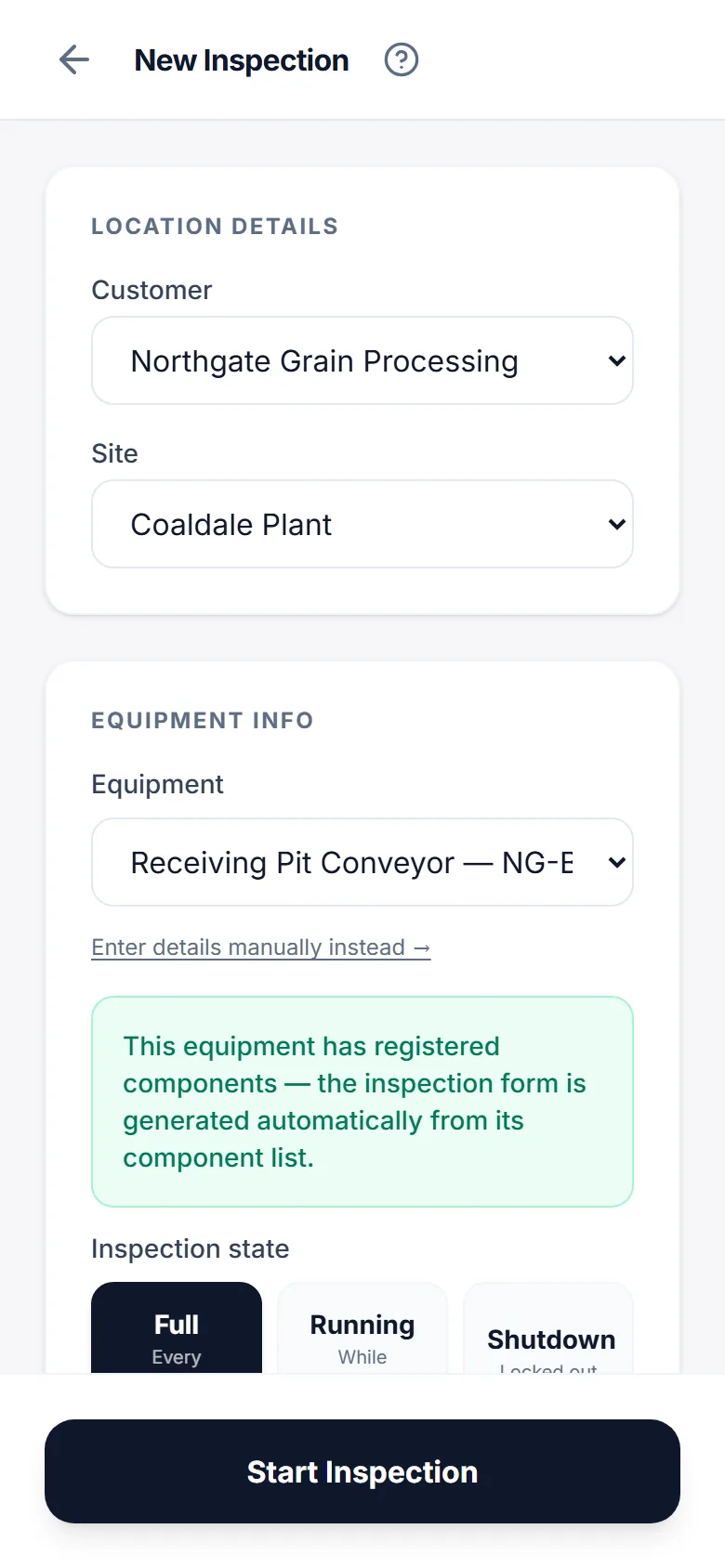
The inspector picks the customer, the site and the piece of equipment, and the right template opens. Customers, sites, equipment and templates are stored on the phone, so the form opens the same way in a basement pump room as it does in the truck.
- Drafts save on their own every fifteen seconds
- An amber banner shows when the phone is offline; work continues
- Finished inspections queue and sync when the connection returns
Photos and a signature, then submit
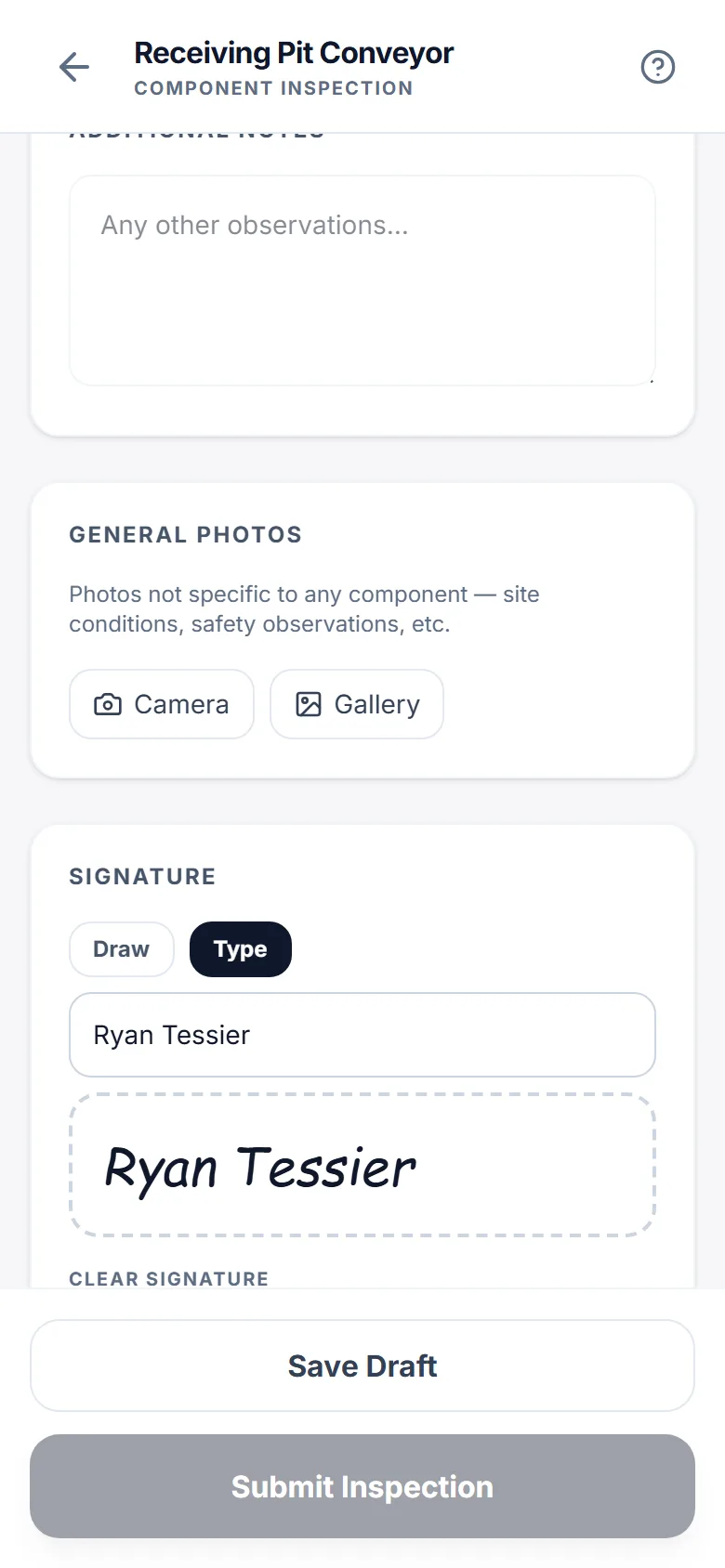
Photos are taken in the form and compressed on the phone before upload, so a set of twenty does not eat the data plan. The original is kept too, and can be downloaded later at full size. The inspector signs on the screen, by drawing or by typing a name.
- Submit is disabled until the signature is there
- The same tag cannot be submitted twice by accident
- Photos carry the device and time they were taken
Review in the office
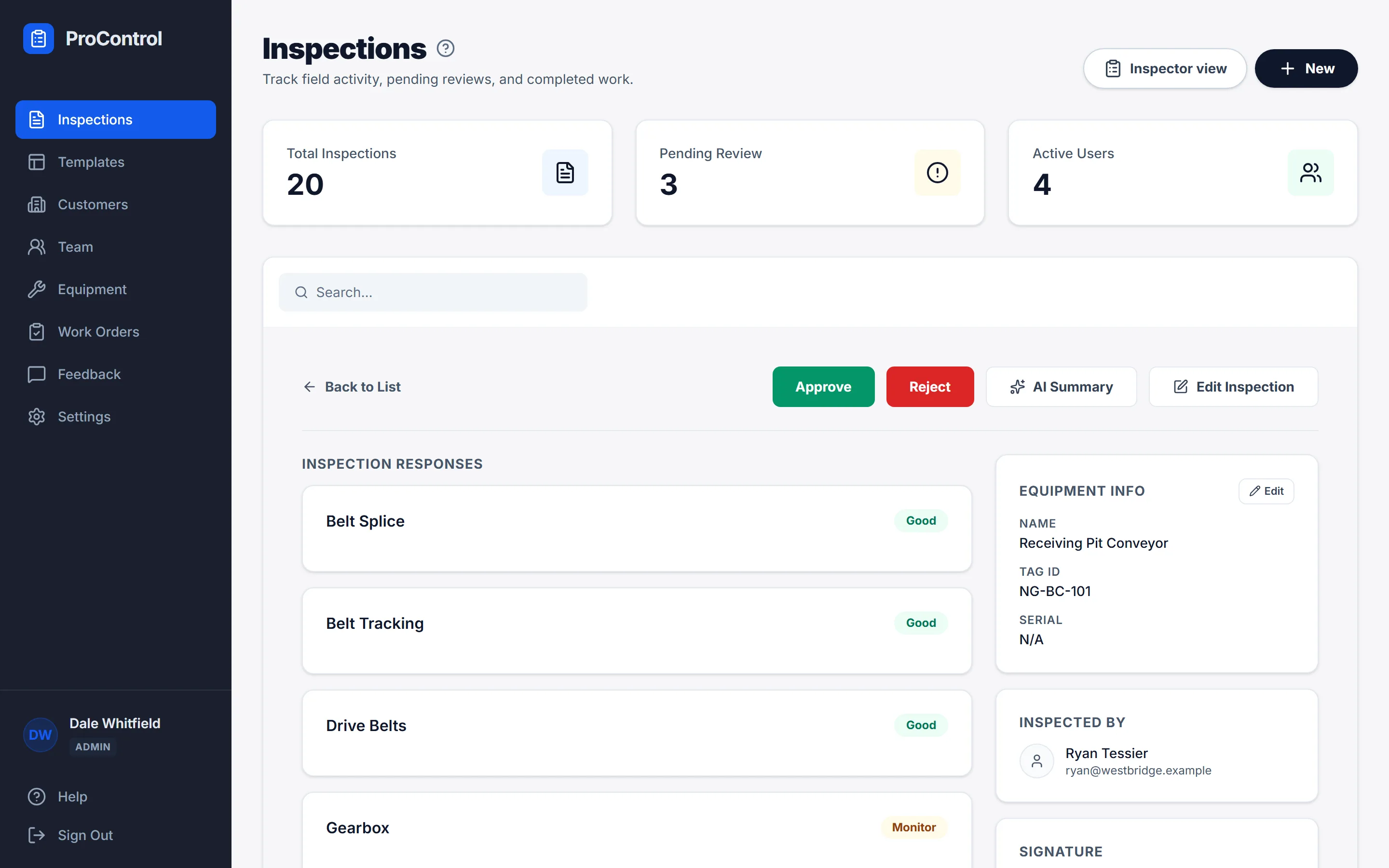
Submitted inspections wait in a queue. A manager or admin opens one, reads it with the photos, and approves it or sends it back with a reason the inspector sees on their dashboard. While it is open, it is locked to that reviewer.
- Approval generates the PDF report and files it against the equipment
- The full edit history of an inspection is one click away
- The inspector gets an email when the status changes
Equipment history and what is overdue
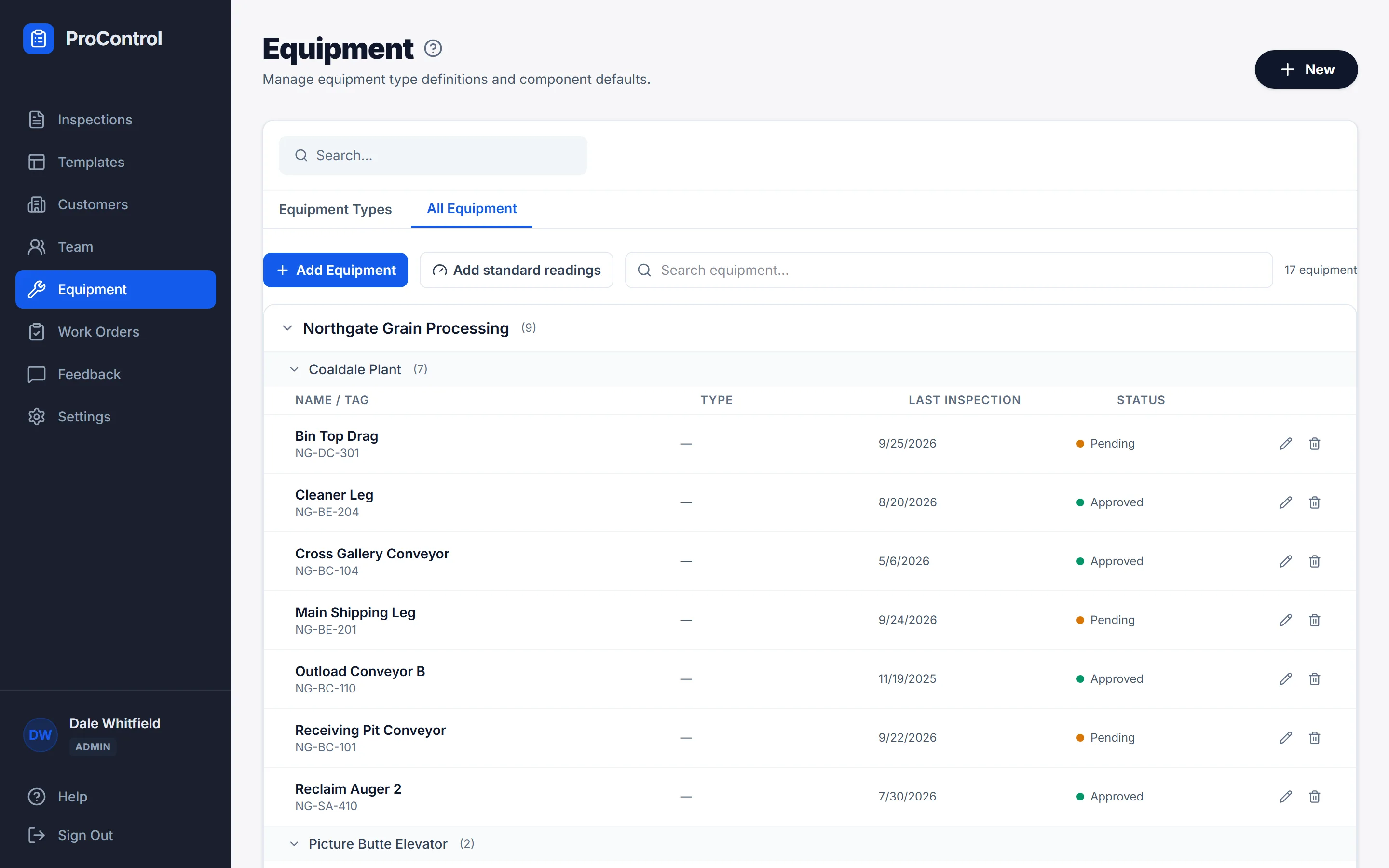
Every customer has sites, every site has equipment, and every piece of equipment shows when it was last inspected and what was found. The All Equipment view lists everything the company looks after, grouped by customer and site, with overdue items first.
- Equipment types carry their own component lists and default inspection
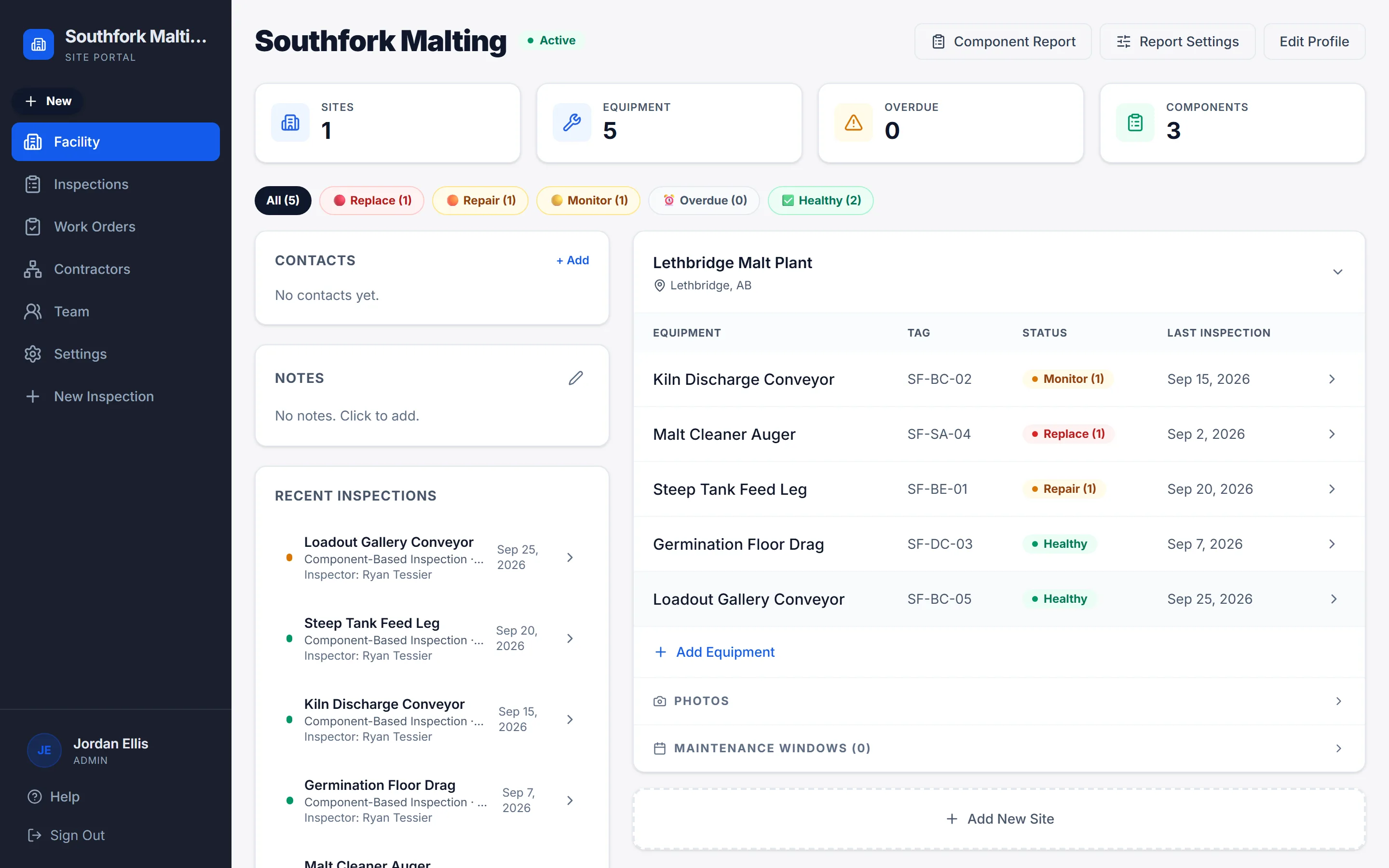
- A customer page shows contacts, sites and recent inspections in one place
- Filter inspections by status, site, tag or date
Work orders from the findings
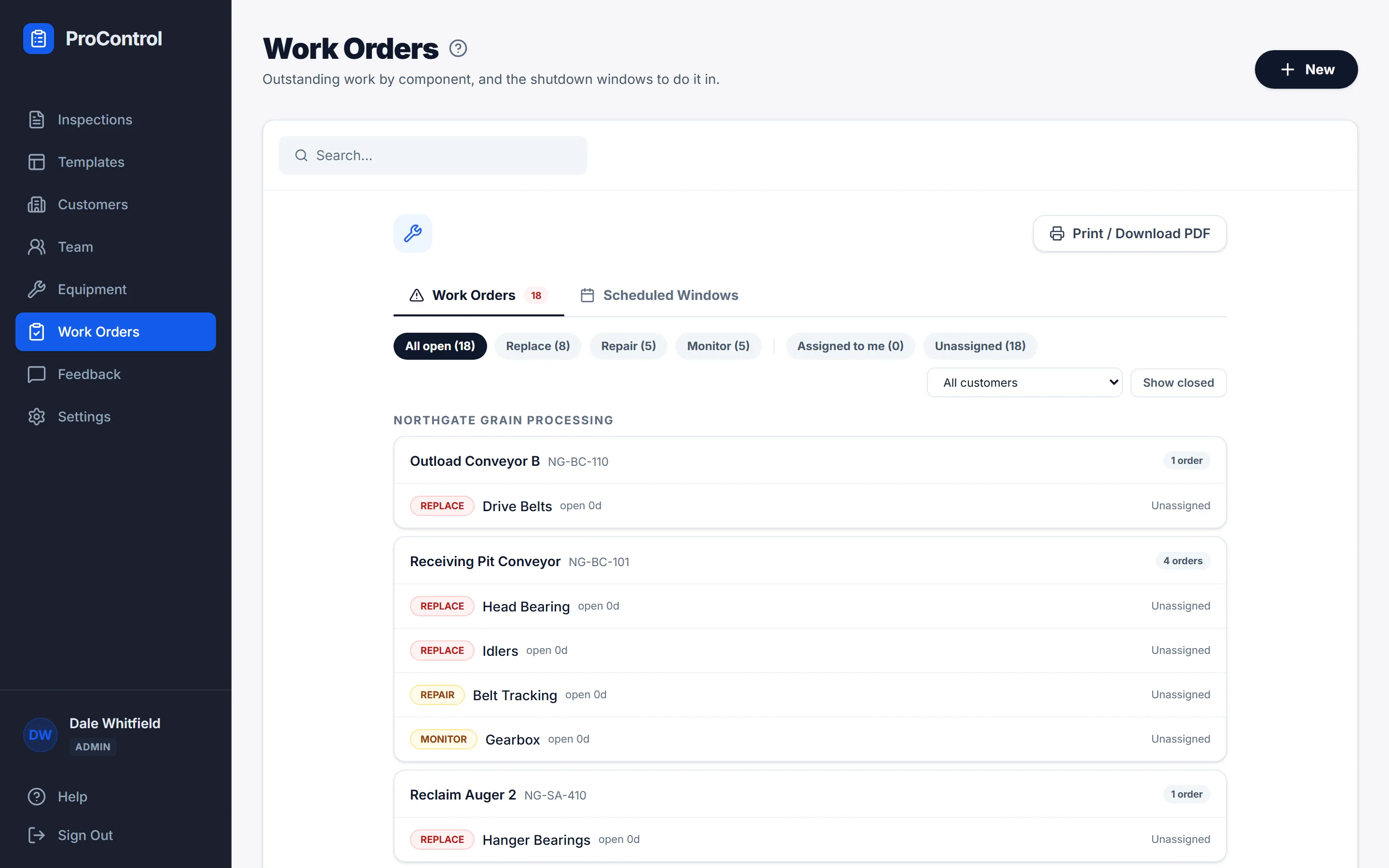
When a component is flagged in an inspection, a work order opens for it. There is only ever one open order per flagged component, so the list stays honest. Assign it, set a due date, and close it out against the same checklist the inspector used.
A portal for the plant
The plant gets its own login and its own view: the facility, its equipment, the inspections and work orders against it, and which contractors are connected. The plant decides what each contractor can see and do. A contractor can be connected to many plants; a plant can have many contractors.
Straight answers
Is it in the App Store or Google Play?
No, on purpose. Millwright Pro is a web app. Open it in the phone's browser, choose Add to Home Screen, and it behaves like an installed app, including offline. There is nothing for IT to package and nothing to update by hand.
What happens when there is no signal?
The form still opens, with the customer, site, equipment and template already on the phone. Drafts save locally. When the connection is back, finished inspections upload on their own, and the inspector can see each one's sync status.
Can we use our own inspection forms?
Yes. Templates are built in the app with the field types a millwright needs: checklists, measurements, dates, photos and signatures. Templates can be general or belong to one customer.
Who can see what?
Each company has its own account with admins, managers, inspectors and viewers, and each role sees only what it needs. A plant sees its own equipment across every contractor connected to it, and nothing from anyone else's sites.
What does it cost?
Plans are being finalized. Email sales@procontrol.ca with how many inspectors and sites you have and you will get a straight number back.
Where is our data kept?
On servers ProControl runs, with hourly backups kept off-site. The privacy policy lists the providers involved and where they are.
See it on your own equipment.
A demo takes about thirty minutes. Bring one inspection you do today and we will set it up in Millwright Pro while you watch.